


Kahoot! Numbers by DragonBox
4.5168.00 Reviews
App Specs
- Version
- 1.28.5
- Updated On
- License
- Free
- Downloads
- 1,000,000+
- Developer
- Kahoot!
- Categories
- Educational
- Platform
- Android
Screenshots
 Analysis by AppCompare
I usually judge a learning game by what happens after the novelty wears off: does it give a child a reason to keep trying, and can an adult tell what skill the play is meant to support? Kahoot! Numbers by DragonBox is an educational game from Kahoot! built around early number work, especially addition and subtraction. Its appeal is the idea that practice can feel like play rather than a worksheet. I’d consider it for a young learner who responds well to visual, interactive activities, while keeping an adult nearby to connect the game’s puzzles with everyday maths.
What the game is for
The game is free to download, is rated Everyone, and has in-app purchases priced from $5.99 to $64.99 per item. It has an average rating of 4.5 from around 11,000 ratings, with over 1 million installs. Those figures suggest it has reached plenty of families, but they don’t tell me whether a particular child will enjoy its style or find its pace comfortable. I’d treat the rating as a useful starting point, not a promise of a perfect fit.
A gentle way into number practice
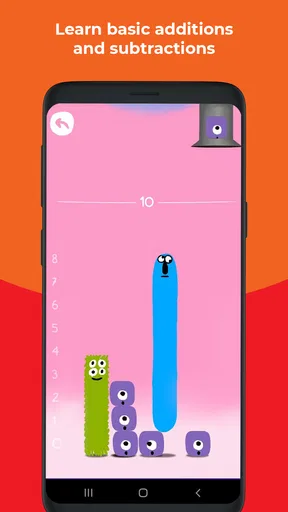
The stated learning focus is addition and subtraction, which makes this a more focused choice than a broad school-subject app. That focus can be helpful when a child needs repeated contact with basic number ideas without being asked to switch between unrelated topics. I’d use it as a short practice activity alongside ordinary explanations, not as a replacement for a teacher, a parent’s guidance, or a complete maths course.
For a realistic routine, imagine a child getting restless during a few minutes of waiting before dinner. A short session could give that time a useful purpose without turning it into another formal lesson. Afterwards, I’d ask the child to explain one move or solve a small addition problem aloud. That conversation matters: getting through a game task is not always the same as being able to use the idea away from the screen.
Keeping progress comfortable
Children don’t all approach number games with the same confidence. One may want to move quickly, while another needs time to look at a problem and try again. I’d pay attention to the child’s reaction rather than assuming that a game’s pace suits everyone. If a learner becomes tense or starts tapping at random, it is a good moment to pause and work through the maths together instead of pushing on for the sake of progress.
That approach also helps answer a practical question parents often have: should this be used independently? I’d let a confident child explore on their own for a while, but I would check in, especially at the beginning. Sitting together for the first session makes it easier to see whether the instructions make sense and whether the activities match the child’s current level. It also gives the adult a chance to notice where an explanation outside the game might help.
Learning versus pressure
Play can make repetition more inviting, but competition is not automatically motivating for every child. If a learner likes comparing results, a shared activity may add energy; if they worry about getting answers wrong in front of someone else, a quieter turn-taking routine is kinder. I’d keep the emphasis on explaining and trying again rather than winning. That small choice can make a maths game feel like practice instead of a test.
Worth Reading Before You Choose

EA SPORTS FC Mobile 26 Is a Bigger Football Game, but It Takes Time

Flipboard Shows What News Apps Must Do Beyond the Feed

Switching to Android Auto Means Rethinking Your Driving Routine

Google Calendar Makes a Crowded Week Easier to Manage

Ludo King Makes the Most of the Minutes Between Plans

Baby Panda World Brings Quick Play to Modern Phones, but Its Game Library Feels Busy
For siblings or friends with different abilities, I wouldn’t assume that a head-to-head challenge is fair simply because both can take part. A child who is still building confidence may need a slower, more supportive turn, while another may be ready for more difficult questions. If the difference is obvious, take turns helping each other or play separately and compare strategies afterward. The point is to make number thinking visible, not to make one child feel behind.
Choosing it over other maths activities
Compared with a printed worksheet, an interactive game can feel less repetitive and may encourage a child who resists sitting down to practise. A worksheet, however, is easier for an adult to inspect at a glance and can be better when the goal is to see written working. Compared with a general quiz game, a focused number activity is a more natural fit when the need is basic addition and subtraction rather than a mix of trivia or school subjects.
I would also distinguish it from practising with household objects or talking through sums during daily routines. Those options are flexible, cost nothing, and show how numbers apply outside a screen; the game offers a more playful format for focused repetition. They work well together. For instance, a child can practise in the game and then count pieces of fruit or compare small quantities at home, making the abstract idea easier to carry into real life.
Purchase decisions and practical limits
The free download gives families a way to try the game before deciding whether spending is worthwhile. Since individual in-app purchases range from $5.99 to $64.99, I’d check the purchase details shown in the app before confirming anything and make sure the person using the device understands that paid options are separate from the free download. I wouldn’t assume that a particular purchase is necessary for the basic learning goal without checking what it includes.
That price range also makes it sensible to decide on a budget before a child starts exploring. On a shared device, I’d keep purchase approval with the adult and talk plainly about which choices are free and which cost money. This isn’t a criticism of the learning idea; it is simply a practical part of handing a game to a child. If you only want occasional addition practice, compare the paid options with how often the child is likely to return to it.
Who will get the most from it
I’d recommend giving it a try if a child enjoys colourful, game-like practice and is working on early addition or subtraction. It may also suit an adult who wants a light refresh of basic number skills, provided they are comfortable with a child-oriented presentation. The strongest case is for someone who benefits from repeated, low-pressure interaction and needs a nudge to engage with maths.
I’d skip it, or choose something else, if the learner needs advanced arithmetic, detailed written instruction, or a broad curriculum covering many maths topics. A teacher-led explanation or a paper activity may be better when the main need is careful step-by-step reasoning that an adult can review. It may also be a poor match for a child who dislikes screen-based learning or becomes more anxious when practice is framed as a game.
Details worth checking before you begin
The game was released on November 20, 2020, and its current version is 1.26.06. It requires Android 8.0 or later. I’d check that requirement on the device before planning a session, particularly if you’re setting it up on an older tablet. The developer is Kahoot!, a name many families may already associate with educational games, but the specific experience here is centered on number practice rather than a general quiz format.
One useful habit is to treat the first few sessions as a fit check. Watch whether the child understands what to do, whether the challenge seems appropriately gentle, and whether they can explain a choice afterward. If the opening feels easy, that alone doesn’t prove the game will remain too simple; give the learner a chance to settle in, but don’t keep going if the activities are clearly below their level. A short check-in is more useful than letting screen time run on automatically.
Parents may also wonder how much learning to expect from a game session. I’d look for signs of understanding outside the game: can the child describe how they approached a sum, or use the same idea in a small everyday example? That is a more meaningful signal than simply completing activities. Keeping sessions brief and following them with a question or real-world example helps make the play part of learning rather than the whole plan.
My first impression
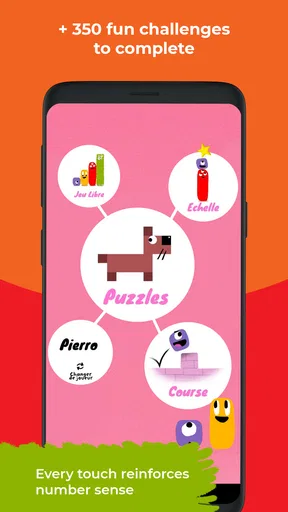
When I first stumbled upon Kahoot! Numbers by DragonBox, I was a bit skeptical. I mean, math and fun aren't exactly words I usually put in the same sentence. But boy, was I wrong! The app is designed to make learning numbers not just easy, but genuinely enjoyable. The interface is colorful and intuitive, perfect for drawing in kids and keeping them engaged.
Getting Started
Setting up the app was a breeze. After a quick download, I was greeted by a friendly tutorial that walked me through the basics. What I loved was the way the app breaks down complex math concepts into bite-sized, manageable lessons. It doesn’t throw you into the deep end but rather eases you into the world of numbers.
Engaging Gameplay
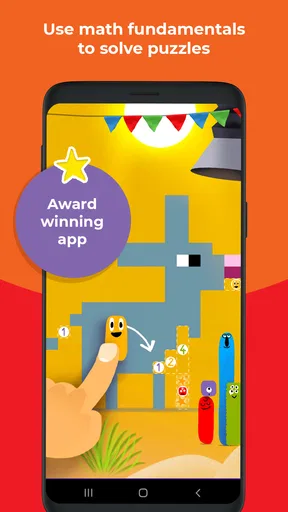
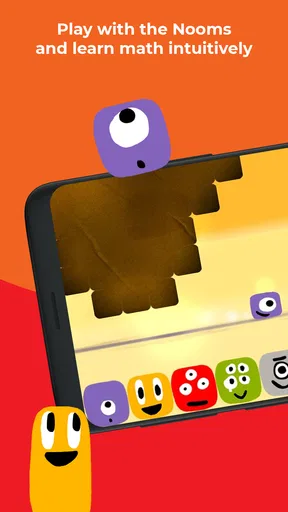
Kahoot! Numbers isn't just about solving equations; it's about understanding the "why" behind them. The app does a stellar job at integrating learning with play. Each level feels like a game, yet subtly reinforces mathematical principles. Before I knew it, I was solving puzzles, completing challenges, and actually enjoying math. Who would've thought?
Features That Stand Out
One of the standout features is the adaptive learning path. The app adjusts to your skill level, ensuring you're always challenged but never overwhelmed. Plus, it provides immediate feedback, so you know exactly where you need to improve. Another cool feature is the multiplayer mode. You can challenge friends or family, making learning a social activity. It's a great way to bring a bit of friendly competition into the mix.
- Adaptive learning paths
- Instant feedback
- Multiplayer mode
- Engaging visuals
Why It's a Game Changer
The app is not just for kids—adults can benefit too! It's a fantastic tool for anyone looking to refresh their math skills in a fun and non-intimidating way. The combination of visual aids, interactive gameplay, and educational content makes it a must-have for learners of all ages.
Room for Improvement
While the app does a lot right, there are a few areas where it could improve. For instance, the initial levels might feel a bit too easy for some users. A way to skip or customize the starting point based on prior knowledge would be a great addition. Also, more varied challenges could keep long-term users engaged.
Final Thoughts
Overall, Kahoot! Numbers by DragonBox is a fantastic educational app that successfully marries learning with fun. Whether you're a parent looking to help your child with math or an adult seeking to brush up on basic skills, this app is worth a look. So, if you're ready to turn math into an adventure, give it a try. You might just find yourself enjoying numbers more than you ever thought possible!
Happy learning, everyone!
Pros
- Engaging math puzzles for kids.
- Visually appealing and interactive design.
- Encourages logical thinking skills.
- Offers multiple difficulty levels.
- No ads to interrupt gameplay.
Cons
- Limited to basic math concepts.
- Requires internet for some features.
- May not engage older children.
- Limited language options.
- In-app purchases can be costly.
FAQs for Kahoot! Numbers by DragonBox
What is Kahoot! Numbers by DragonBox?
Kahoot! Numbers by DragonBox is an educational app designed to make learning math fun and engaging for children. It uses interactive games and puzzles to teach kids essential number skills. Developed for both Android and iOS, it incorporates playful learning techniques to help children understand mathematical concepts effectively.
Is Kahoot! Numbers by DragonBox suitable for all age groups?
Kahoot! Numbers by DragonBox is primarily aimed at young children, typically between the ages of 4 and 8. It provides a foundational understanding of numbers and basic math concepts. However, older children can also benefit from the app if they need to reinforce their basic math skills in a fun and interactive way.
Does Kahoot! Numbers by DragonBox require an internet connection?
The app does not require a constant internet connection to play the core games and activities, making it perfect for offline use. However, an internet connection may be needed for initial downloads, updates, or accessing certain online features and additional content that may be available.
Are there any in-app purchases or advertisements in Kahoot! Numbers by DragonBox?
Kahoot! Numbers by DragonBox is designed to be a child-friendly app. It typically avoids intrusive advertisements and keeps in-app purchases to a minimum. However, users should always check the app's settings and description to understand any potential additional content or subscriptions that might be available.
How does Kahoot! Numbers by DragonBox engage children in learning?
The app engages children through interactive gameplay and visually appealing puzzles that challenge them to solve problems. It uses storytelling and characters to maintain interest and motivation. By turning learning into a playful experience, the app helps children develop crucial math skills without feeling like they're in a traditional classroom setting.


